Mother’s Day Gift Guide: Best Used E-Readers and Tablets

Used e-readers are often the smartest Mother’s Day tech gift if the goal is simple, comfortable reading at a lower price, while used tablets make more sense for video calls, recipes, games, and streaming. The right choice depends less on brand loyalty than on how she’ll actually use it every week.
Quick Answer: Choose a used e-reader for book-focused moms who want long battery life and an easy-on-the-eyes screen; choose a used tablet for moms who want one device for reading, FaceTime or Zoom, recipes, and entertainment.
Key Takeaways
- Dedicated e-readers usually deliver better battery life and outdoor readability than tablets.
- Used tablets are more flexible gifts because they handle reading, video calls, streaming, and apps on one device.
- An F3 — Key Functions Working (functional) or F4 — Hardware Functional (functional) device is often the best balance of price and practical usability.
- Cosmetic grades such as C3 — Used Fair (cosmetic) and C4 — Used Good (cosmetic) mainly affect appearance, not whether the device can still be a strong gift.
- SERI (Sustainable Electronics Recycling International) publishes the R2 standard used by certified recyclers handling electronics responsibly, as outlined on the official R2 Standard Overview.

Why are used e-readers and tablets good Mother’s Day gifts?
They solve an everyday problem without feeling like a generic gadget. A lighter device for bedtime reading, a kitchen screen for recipes, or a simple tablet for family video calls can get more use than a flashy upgrade she never asked for.
Price matters here too. Buying second-hand often opens the door to a nicer screen, better storage, or a more premium build than a new budget device at the same cost, which is why Earth Day 2026: Why Buying Used Electronics Still Matters for Cutting E-Waste lands beyond the usual sustainability talking points.
There is also a practical comfort angle. E-ink readers are easier on the eyes for long reading sessions, while tablets are better for magazine apps, YouTube tutorials, puzzle games, and group chats that a dedicated e-reader simply cannot handle.
Should you buy a used e-reader or a used tablet?
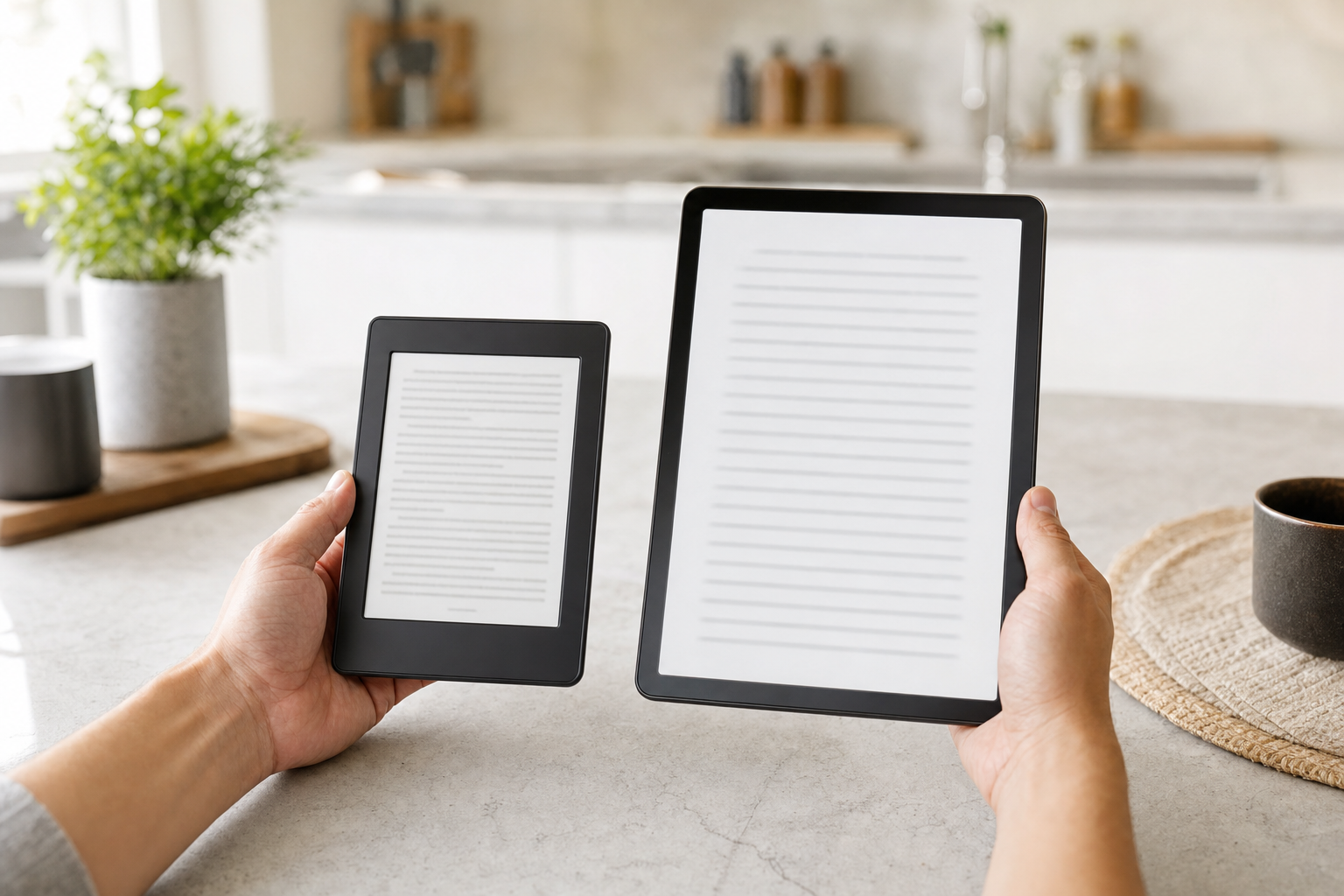
A used e-reader is the better gift when reading is the main event. E-ink screens mimic paper, battery life is measured in days or weeks rather than hours, and the device stays focused instead of turning every reading session into a stream of notifications.
A used tablet wins when versatility matters more than reading purity. If she likes to read cookbooks, watch gardening videos, join video calls, browse Pinterest, and stream a series in bed, a tablet is the more useful gift by a wide margin.
For many shoppers, the real decision is whether they are buying a reading companion or an all-purpose household screen. If the answer leans toward “one device for everything,” browsing the wider Tablets category or even larger-screen options in Laptops & Notebooks can make more sense than chasing the cheapest dedicated reader.
What do F and C grades mean practically for gifts?
SERI defines the R2V3 grading framework, and on this platform you will mainly see a functional grade and a cosmetic grade. Functional grades describe how well the device is expected to operate, while cosmetic grades describe visible wear such as scratches, scuffs, dents, or shine on high-touch surfaces.
For a Mother’s Day gift, F3 — Key Functions Working (functional) usually means the main features work but the device may not have been tested as comprehensively as a higher-graded unit. F4 — Hardware Functional (functional) is often the safest target for daily-use electronics because the hardware is considered fully functional, while F5 — Refurbished (functional) is the grade to look for if you specifically want a repaired, restored, or remanufactured device.
Cosmetically, C3 — Used Fair (cosmetic) can still be perfectly giftable if the plan is to add a folio case, while C4 — Used Good (cosmetic) is a comfortable middle ground for most shoppers. If presentation matters because she will open it right away, C4 or better tends to avoid the “why is it so scratched?” moment.
| Grade range | What it usually means in real use | Best for |
|---|---|---|
| F3 / C3-C4 | Main functions should work, with visible wear that may be noticeable in bright light. | Budget gifts and casual household use |
| F4 / C4-C5 | Fully functional hardware with moderate to lighter cosmetic wear. | Most gift buyers who want value without obvious compromise |
| F5 / C4-C6 | Repaired, restored, or remanufactured device with stronger gift appeal. | Shoppers specifically seeking refurbished units |
| F6 / C5-C7 | Like-new function and cleaner appearance, often priced closer to new. | Buyers prioritizing presentation |
What price should you expect for used e-readers and tablets?
Used e-readers usually make the most sense under about $100, especially for older Kindle and Kobo models that still handle novels beautifully. Once pricing pushes too close to a current entry-level new device, the value advantage narrows fast unless the higher-priced listing includes a premium screen, stylus support, or an unusually clean grade.
Tablets have a wider spread. Older compact models can be inexpensive, but once you move into newer iPads, larger screens, or better cameras for video calls, prices rise quickly because those features age more slowly than people assume.
The same pattern shows up in adjacent categories. A touch-enabled everyday computer such as Dell Inspiron 3505 Touch 15.6" Laptop Ryzen 5 256GB SSD 12GB RAM Win 11 Pro (CM)$159.95 Dell Inspiron 3505 Touch 15.6" Laptop Ryzen 5 256GB SSD 12GB RAM Win 11 Pro (CM)View on eBay → at $159.95 illustrates how much utility can show up in the used market once you move a step above basic tablets: larger display, full keyboard, and enough performance for calls, recipes, and streaming from a seller at an R2V3-certified facility.
Which used device is best by budget?
Under $75, the sweet spot is usually an older dedicated e-reader or an entry tablet with obvious cosmetic wear but solid core function. This is the range where buyers should be realistic about battery aging, charging speed, and support for newer apps.
Between $75 and $150, the field gets much better. You can start finding newer tablets, cleaner screens, and stronger grades that feel presentable without paying a premium for near-new condition.
Above $150, shopping carefully matters more than spending more. A machine like the Asus VivoBook TP3604VA i5 13th Gen 8GB 512GB SSD Windows 11 Home$169.99F6C4 Asus VivoBook TP3604VA i5 13th Gen 8GB 512GB SSD Windows 11 HomeView on eBay → at $169.99, graded F6/C4, shows how the upper end of the used market can overlap with tablet shopping by offering a cleaner-condition touchscreen convertible that may suit a mom who wants reading, browsing, family calls, and real keyboard comfort in one device.
Which type of mom should get which type of device?
The avid reader should get a dedicated e-reader. Novels look better on e-ink, glare is reduced outdoors, and the battery often lasts long enough that charging becomes an afterthought.
The family organizer should get a tablet. Shared calendars, recipe apps, grocery lists, and video calls all work better on a general-purpose device with a color screen and a responsive app ecosystem.
The multitasker may actually be happier with a touch laptop or 2-in-1 than a tablet, especially if she types a lot or likes bigger screens for streaming. That is why some shoppers browsing Tablets end up comparing options in Laptops & Notebooks or even lightweight setups paired with Monitors & Projectors for a home nook.
What Should I Look For?
Screen condition comes first. On an e-reader, deep scratches and pressure marks are harder to ignore than on many phones because the whole point is long reading sessions; on a tablet, look closely for bright spots, dead areas in the touchscreen, and edge lifting that can hint at battery swelling.
Battery details matter more than shoppers sometimes admit. If a listing says the device holds a charge, charges normally, or includes battery health information, that is useful; if battery condition is vague, assume the device may not match new runtimes. For sellers handling data-bearing electronics, standards around responsible processing are shaped by organizations such as SERI (Sustainable Electronics Recycling International) and sanitization guidance like NIST SP 800-88.
- Check whether a charger or cable is included.
- Look for Wi-Fi functionality confirmation and touchscreen testing.
- Confirm there is no activation lock, account lock, or enterprise enrollment.
- Read the grade pairing together, not separately.
- Prefer listings that mention storage capacity clearly.
- Watch for accessories that affect value, such as stylus support or keyboard covers.
If she mainly wants to read library ebooks and novels, prioritize screen quality and battery life over processor specs. If she wants streaming and calls, prioritize front camera quality, speaker clarity, and enough storage for apps and downloads.
What offers the best value: older premium tablets or basic newer models?
Older premium tablets are often the smarter buy. Better speakers, sharper displays, sturdier materials, and stronger accessory support tend to age better than bargain-tier tablets that were compromised from day one.
The trap is software support. A beautifully built older tablet can still be frustrating if key apps are no longer supported, so shoppers should balance hardware quality with realistic app needs rather than assuming any well-known brand remains current forever.
The same value logic shows up outside tablets too. A system like the Dell Inspiron 3505 Touch 15.6" Laptop Ryzen 5 256GB SSD 12GB RAM Win 11 Pro (CM)$159.95Dell Inspiron 3505 Touch 15.6" Laptop Ryzen 5 256GB SSD 12GB RAM Win 11 Pro (CM)View on eBay → demonstrates how previously deployed premium-adjacent hardware can outperform brand-new budget devices in the same price band, especially for home entertainment and video calls.
How can you make a used device feel gift-worthy?
Presentation does a lot of work. Clean the exterior, update the software, add a fresh case or sleeve, and preload a few thoughtful apps or a digital bookstore gift card so the device feels chosen rather than merely economical.
Matching the device to her habits matters even more. A recipe-first kitchen tablet, a bedside e-reader, or a touch laptop for longer messages and grandkid video chats each tells a different story, and the best Mother’s Day gift usually feels specific to her routine.
If you want a wider look at responsible second-hand buying beyond this category, the EPA’s guidance on electronics donation and recycling is a useful reminder that extending device life is one of the more practical ways to reduce waste.

Frequently Asked Questions
Are used e-readers a good Mother’s Day gift?
Yes, especially for moms who read regularly. They are practical, lighter than most tablets, easy on the eyes, and often far cheaper than buying a new device that does essentially the same core job.
Is a tablet better than an e-reader for Mother’s Day?
A tablet is better if she wants to do more than read books. For video calls, recipes, streaming, games, magazines, and everyday apps, a tablet is more flexible. For pure reading comfort, an e-reader still has the edge.
What functional grade should I buy for a gift?
F4 is a strong target for most gift shoppers because it indicates hardware functionality without pushing pricing as high as near-new units. F3 can still be a smart buy on a tighter budget, while F5 is the grade to seek if you specifically want a refurbished device.
Does cosmetic grade matter much for a tablet or e-reader gift?
It matters mostly for presentation. A C3 unit may show noticeable wear but still work well, while C4 and above usually feel safer for gifting right out of the box. A case can hide a lot of cosmetic wear, but it cannot fix a scratched screen.
What should I check in a listing before buying?
Look for battery notes, charger inclusion, storage size, screen condition, working Wi-Fi, touchscreen confirmation, and any mention of activation lock or account lock. Clear photos and a stated grade pairing are both good signs.
How does R2V3 certification relate to shopping for used tablets and e-readers?
It gives buyers an added trust signal around the seller’s facility and its handling practices. For more background, see What Is R2V3 Certification? and Understanding R2V3 Grades.
What if I can’t find the right used e-reader right now?
Expand the search to touch laptops and larger portable devices if the gift is really about reading plus calls, recipes, and entertainment. The current Browse All Products inventory and the broader Tablets section can help you compare what is available now.
Sponsored
Stay updated on R2V3 deals
Weekly deals from R2V3 certified recyclers in your inbox.